Professional Data Recovery Services
When critical business data or irreplaceable personal memories are at risk, you need proven experts. Our certified engineers have successfully recovered data from all types of devices.
GET YOUR FREE EVALUATION
No Obligation, No upfront cost, 100% Confidential
Can You Recover My Data?
Essential Do’s & Don’ts for Protecting Your Media
Clicking or grinding? Stop using it immediately
A clicking, grinding, or beeping drive usually has failing heads or a damaged platter. Every minute it keeps spinning can scratch away more of your data. Power it down and leave it off.
Smells like burning? Stop immediately
A burning smell points to a shorted circuit board or failed electronics. Unplug the drive right away and do not plug it back in or try another cable or power supply.
Don't open it
Never remove hard drive screws outside a cleanroom environment. Microscopic dust in regular room air will cause permanent platter scoring.
Don't run repair tools
Avoid utilities like CHKDSK, fsck, or commercial disk recovery software. They write data to damaged areas and overwrite lost files.
Specialized Data Recovery Services
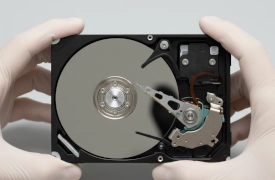
Hard Drive Recovery
Cleanroom recovery for crashed, clicking, or undetectable hard disk drives.
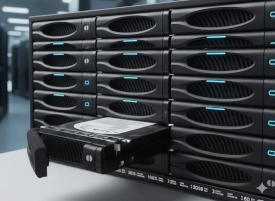
Server Data Recovery
Enterprise data retrieval for physical, virtual, and cloud server crashes.
Apple Data Recovery
Specialized recovery for MacBooks, iMacs, and Apple Silicon logic boards.
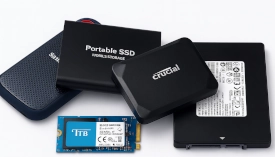
SSD Data Recovery
NAND flash memory and controller failure retrieval for all solid-state drives.

USB Data Recovery
Expert file retrieval for broken, unrecognized, or corrupted USB flash drives.
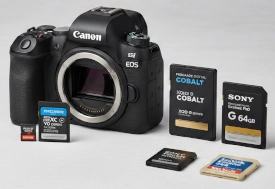
Camera Card Recovery
Secure photo and video recovery from damaged SD and memory cards.
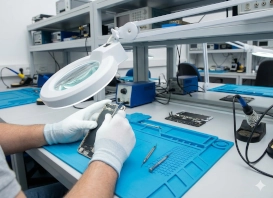
Cell Phone Recovery
Mobile data extraction for water-damaged, broken, or locked iOS and Android phones.
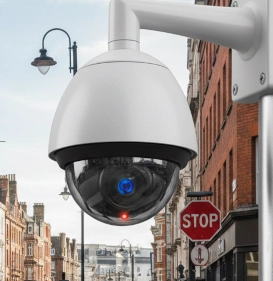
DVR / CCTV Recovery
Forensic surveillance footage recovery from CCTV and security DVR recorders.
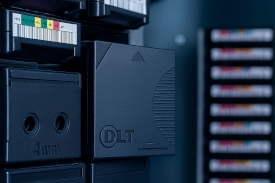
Tape Data Recovery
Legacy magnetic tape restoration for LTO, DLT, and enterprise tape cartridges.
Database Recovery
Database corruption repair and table recovery for SQL, Oracle, and Exchange.
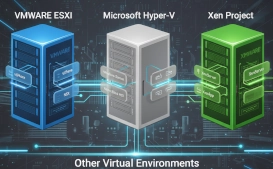
Virtualization Recovery
VMDK and VHDX virtual machine recovery for VMware and Hyper-V systems.
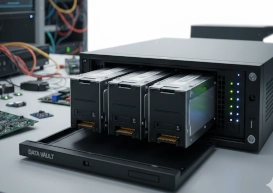
NAS Data Recovery
Multi-disk array reconstruction for Synology, QNAP, Buffalo, and Western Digital NAS.
What Our Customers Say
5.0from 6 Google reviewsRead all reviews on Google"It is never easy losing access to important data, but Data Recovery SOS made the recovery process much less stressful. From my first call, their team clearly explained the process and kept me informed throughout. Two of the four drives in my QNAP RAID system had failed. Other recovery companies gave me quotes that were far too expensive, but Data Recovery SOS offered a much more affordable solution. They recovered my data quickly and returned it fully usable and accessible. Their team was professional, responsive, and helpful from start to finish. I highly recommend Data Recovery SOS to anyone facing a data-loss situation."
"I had a small chip on the corner of my SD card and my devices would not recognize it. I took it over to recover my files thinking it had some current client files I needed. Alan was very prompt with his email responses and answered any questions I had. Once I was able to review the files, it turned out I actually didn't need those. A huge relief for me! Highly recommend and would be the first place I go to if I need my files recovered again!"
"Amazing service and a fair price. I had a HDD that was damaged and in storage for over 10 years. They managed to retrieve my data with negligible loss. Highly recommend their services."
"Amazing service delivered in few hours. What Best Buy could not fix and need high $ to even attempt to recover, SOS did it!!! Thank you Farhan."
Data Loss Problems We Fix
Logical Issues
Physical Issues
Natural Disaster
Remote & Onsite Data Recovery
Remote recovery
- Deleted files and partitions
- Corrupted, RAW or unmountable volumes
- Lost RAID configuration
- Encrypted connection, nothing installed
Onsite recovery
- Failed RAID arrays and servers
- Data never leaves your building
- Recovery in your data center
- Less downtime for your business
Lab recovery
- Clicking, beeping or grinding drives
- Drives that are not detected
- Water, fire or physical damage
- Cleanroom environment
Watch: how professional data recovery works
What actually happens when you send a failed hard drive, SSD, RAID or memory card to a professional data recovery lab? This 90-second overview walks through the process, from the free evaluation to getting your files back.
NO-SURPRISES, TRANSPARENT PRICING
Our rates are structured based on the technical complexity required to successfully recover your data, independent of file volume or value.
TIER 1
- Accidental file deletion
- Corrupted file systems
- Operating system crashes
TIER 2
- Accidental Formatting
- System Restore
- Partition deletion
TIER 3
- Firmware issue
- Translator issues
- Bad Modules
TIER 4
- Mechanical failure
- Motor Seizures
- Clicking Drive